Review: Vocalia 2.0 - Voice Recognition for Your iPhone

Would you like voice recognition on your iPhone, but don’t have the new iPhone 3GS? Vocalia 2.0 from Creaceed brings voice recognition to older generation iPhones, along with the second generation iPod Touch.
Vocalia is a speech recognition tool that allows users to simply say a contacts name and Vocalia will search through the contact list to find the name or names closest to the one spoken. Vocalia uses phonetics so you do not have to “train” the software with your voice or pronunciations.
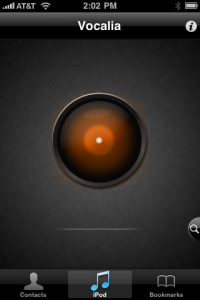
When you start the application the first time, it will scan and phonetizize the contact list. When ready you will be presented with the purple Vocalia “eye”
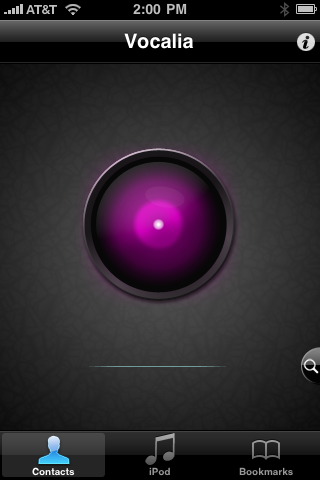
Simply pronounce the name of the contact and Vocalia will search its database and present the closest match. If there is one match, such as when we said “Home”, you will be presented with the contact information, allowing you to touch the number to initiate a call. If however, there are several matches when we just used the contact’s first name. “Jim”, Vocalia presented us with a list of possible matches.
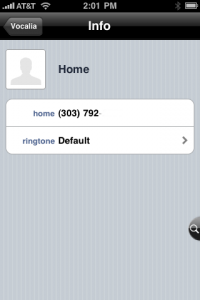
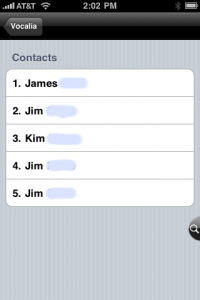
Vocalia does a very good job on sound pickup and voice recognition and your results will depend on background noise. We were to use the application with the iPhone sitting on our desk in a quiet office. Vocalia was easily able to recognize the contact’s name and present us with the correct contact information.
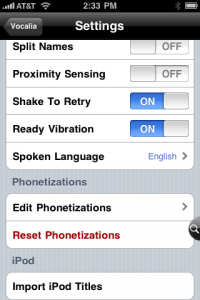
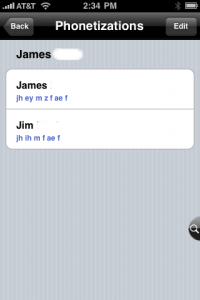
Another feature in the application is the ability to edit the phonetizations and even add nicknames to contact records.
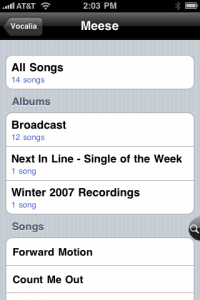
We also tested Vocalia’s iPod functions, which allows you to say an artist name and Vocalia will display information for that artist, allowing you to select All Songs, particular Albums or individual songs. iPod mode is initiated by selecting the iPod menu item and the Vocalia “eye” will be brown.
Vocalia also allows you to import Safari bookmarks and use voice commands to open bookmarks in Safari.
We were very impressed with Vocalia’s voice recognition and ability to correctly identify contacts and artist names in iPod mode. As mentioned previously, background noise can affect accuracy, we had minor problems when testing outdoors with some wind noise, but indoors Vocalia performed flawlessly for us.
Vocalia 2.0 is available in the App Store for $3.99 and if you want to add voice recognition to your older generation iPhone or second generation iPod Touch, this will provide you with that ability.